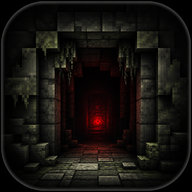
The Ultimate Belowland Wiki: Complete Guide to the Minecraft Horror Mod
Explore our comprehensive Belowland wiki guide. Learn how to survive the outln.frombelowland Minecraft horror mod, including compatibility, commands, and features.
Minecraft horror mods have evolved from simple jump scares into deeply unsettling psychological experiences, and the outln.frombelowland mod is currently leading that terrifying charge. If you are searching for a comprehensive Belowland wiki, you have come to the exact right place to prepare for your descent. Navigating this uniquely paced, anxiety-inducing landscape requires absolute preparation, which is why this unofficial Belowland wiki guide breaks down everything from crucial mod compatibility to in-game survival mechanics.
Whether you are a seasoned horror veteran or a curious builder looking to spice up your survival world, understanding how this mod operates is the difference between a thrilling adventure and a frustrating crash. Let's dive into the remnants of this broken server and discover what awaits you in the dark.
What is Belowland? A Quick Overview
Currently in its alpha development phase, outln.frombelowland (widely known by the community simply as Belowland) is a psychological horror mod for Minecraft. Developed by a creator named Lock and a dedicated team of contributors, the project officially began on May 8th and has quickly garnered attention for its unique approach to the horror genre.
Unlike traditional horror mods that immediately bombard you with monsters the moment you spawn, Belowland takes a much more methodical approach. Drawing heavy inspiration from iconic horror projects like wonderland.jar, Grace, and White Knuckle, the mod focuses on slow-burn terror. You go on your own expedition, exploring the remnants of a broken server, trying to find lost friends.
If you are contributing to a community Belowland wiki, noting this slow-burn pacing is essential. It intentionally lulls the player into a false sense of security before unleashing its terrifying elements.
Essential Preparation & Compatibility Guide
Before you even launch your game, there are strict technical requirements you must follow. Failure to set up your modpack correctly will result in visual glitches, broken mechanics, or outright game crashes.
First and foremost, Belowland requires GeckoLib to function. GeckoLib is an animation engine for Minecraft mods that allows for complex, terrifying entity movements that standard Minecraft skeletons simply cannot achieve. Make sure you have the correct version of GeckoLib installed for your specific Minecraft version.
The most critical warning for any player—and a frequently highlighted note in every Belowland wiki discussion—is regarding optimization mods. Do not use Sodium Forks, Embeddium, or Optifine.
Why? Belowland relies heavily on custom shaders to create its spooky imagery, visual distortions, and atmospheric dread. Optimization mods like Sodium and Optifine completely rewrite the way Minecraft renders graphics. Because Optifine is closed-source and Sodium alters the rendering pipeline, they will break most of the mod's custom shaders.
For the best experience, download the mod directly from its official Modrinth page and stick to a lightweight modpack that does not interfere with the game's core rendering engine.
Gameplay Mechanics: The Slow Burn Horror
The defining characteristic of Belowland is its pacing. When you first load into your world, everything will seem perfectly normal. You punch trees, craft a crafting table, and build your first dirt hut.
According to community reports and player experience, it takes roughly 3 to 4 in-game days before anything unsettling begins to happen. This waiting period is completely intentional. The developer wanted players to get comfortable, establish a base, and drop their guard before the horror elements slowly seep into the world.
However, if you are impatient or simply want to test your mettle immediately, you do not have to wait. The mod includes built-in commands to alter its pacing. By typing /belowland in the chat, you can access a list of commands designed to make the mod "more aggressive." This is incredibly useful for content creators or players who want to jump straight into the action.
Core Features to Expect
While the mod is still in alpha, it boasts a robust list of features that transform the base game into a nightmare. Any comprehensive Belowland wiki needs to catalog these features, as they dramatically alter how you approach survival.
1. Spooky Imagery and Shaders As mentioned earlier, the custom shaders are the backbone of the mod's atmosphere. Expect visual distortions, unsettling lighting changes, and environmental anomalies that make you question what you are seeing.
2. Terrifying Entities You are not alone in the Belowland. The mod introduces custom entities fully animated via GeckoLib. These aren't your standard zombies; they are meticulously designed horrors meant to stalk, frighten, and hunt the player.
3. Custom Dimensions The horror isn't restricted to the Overworld. Players will eventually discover new dimensions. While details are kept under wraps to prevent major spoilers, player experience suggests these realms are hostile, disorienting, and vital to the mod's overarching lore.
4. New Items and Tools To survive the new threats, you will need new gear. The mod introduces a variety of new items. Some may help you fend off entities, while others might be quest items tied to the lore of the broken server.
5. Dynamic World Events The mod doesn't just spawn monsters; it alters the world itself. Expect random events that occur dynamically in your world, changing the environment or forcing you into terrifying scenarios without warning.
6. Immersive Audio Design Horror is nothing without sound. The mod features loud noises, sudden stingers, and custom songs composed by a dedicated audio team. We highly recommend playing with headphones, though you might want to keep the volume at a reasonable level to protect your ears from sudden jump scares.
7. An Upcoming Campaign Currently in development, a full campaign mode is coming soon. This promises to add structured narrative elements, guiding players through the lore of the "remnants of a broken server."
Developer and Contributor Credits
A project of this scale requires a village, and the Belowland team is extensive. Lock serves as the primary developer, but the mod's high quality is the result of numerous talented contributors in the Minecraft community.
The audio landscape was crafted by composers like Vahleny, Dr. Gooberman, Hallow, lymph, happy, and lemonello. The terrifying models, textures, and art were brought to life by SwampMother/Moss, goodday49, Zorgoliath, skie, mart, Auxurious, Lavaimp, and others. Writing and lore contributions come from Atomosphere, Kwerbo, and Zenith, while James Dawnshine handled the intricate SFX design.
Acknowledging these creators is a staple of any good Belowland wiki, as their combined efforts are what make the mod so uniquely terrifying.
Tips for Surviving Your First Week
Based on community reports, surviving Belowland requires a shift in how you play Minecraft. Here are a few actionable tips for making it through your first week:
- Prioritize a Secure Base: Use the first 3 days wisely. Build a well-lit, heavily fortified base. You will want a safe haven before the events start triggering on Day 4.
- Manage Your Audio: The mod uses sound to telegraph danger. Listen closely for unusual songs or loud noises, as they often precede an entity attack or a world event.
- Travel Light Later On: Once the horror begins, the risk of dying increases exponentially. Only carry essential items when exploring to minimize the loss of valuable gear.
- Experiment with Commands Safely: If you want to see what the mod has to offer without risking your main survival world, create a creative test world and use the
/belowlandcommands to trigger events.
Frequently Asked Questions (FAQ)
What is the best way to learn about all the entities in the mod? Because the mod is currently in alpha and updating frequently, the best way to learn about specific entities is by consulting a community-driven Belowland wiki or joining the official developer Discord server, where players share their in-game experiences and findings.
Why are my graphics glitching when I play Belowland? If you are experiencing visual glitches, you likely have an optimization mod installed. You must remove Optifine, Sodium, Embeddium, or any similar forks, as they break the custom shaders that the mod relies on for its spooky imagery.
How long does it take for the scary events to start? By default, the mod is a slow burn. It takes approximately 3 to 4 in-game days before the terrifying events, entities, and loud noises begin to occur naturally in your world.
Can I make the Belowland mod scary immediately?
Yes. If you do not want to wait the standard 3-4 in-game days, you can type the command /belowland in your chat. This will bring up a list of commands that allow you to make the mod's behavior much more aggressive instantly.
Related Guides
Belowland Beginner Guide: Survive the Best Minecraft Horror Mod
Dive into our comprehensive Belowland beginner guide. Learn survival tips, boss fight strategies, and essential gear for this terrifying Minecraft horror mod.
Ultimate Belowland Mod Guide: Survive the outln.frombelowland Horror
Master the terrifying outln.frombelowland Minecraft mod with our comprehensive Belowland mod guide. Learn entity survival, item uses, and installation tips.