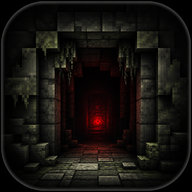
The Ultimate Belowland Events Guide: Survive the Minecraft Horror Mod
Master the terror with our complete Belowland events guide. Learn how to survive the 3-day grace period, trigger aggressive events, and fix shader issues.
Minecraft horror mods are experiencing a massive renaissance, and the outln.frombelowland mod is quickly becoming a standout psychological thriller. If you are searching for a comprehensive Belowland events guide, you have come to the right place. Navigating this terrifying experience requires patience, strategic planning, and an understanding of the mod's unique pacing.
Unlike traditional jump-scare add-ons, this mod plays a slow game with your sanity, forcing you to wait days before the true terror unfolds. In this Belowland events guide, we will break down everything you need to know about the creeping darkness. From surviving the initial grace period to understanding the complex technical requirements, we have you covered.
The Calm Before the Storm: The 3-Day Grace Period
One of the most unique aspects of outln.frombelowland is its intentionally slow-paced design. Inspired heavily by the infamous wonderland.jar and White Knuckle, the developer, Lock, crafted an experience that builds tension rather than relying on immediate gratification.
When you first load into your world, everything will seem perfectly normal. According to community reports and the developer's notes, it takes roughly three to four in-game days before anything unsettling begins. This grace period is not a time to relax; it is your only opportunity to prepare. Any reliable Belowland events guide will tell you that wasting these first few days is a guaranteed way to lose your hardcore world.
During this time, you must focus on resource gathering, fortifying a secure base, and securing a reliable food source. The mod lulls you into a false sense of security.
Day-by-Day Survival Strategy
To maximize your chances of survival, you need a strict schedule during the early game. Below is a recommended timeline based on player experience:
Understanding Belowland Events and Entities
Once the grace period concludes, the world around you will begin to shift. The events in Belowland are heavily atmospheric, relying on a combination of visual distortions, unsettling audio, and sudden environmental changes.
The mod features a robust sound design team, including composers like Vahleny, Dr. Gooberman, Hallow, and several others, alongside SFX design by James Dawnshine. This means you should expect loud, sudden noises and eerie songs that trigger dynamically as you explore. A thorough Belowland events guide must emphasize the importance of playing with your game audio turned up—sound is often your first warning that an event has started.
Types of Events You Will Encounter
While the exact triggers are kept mysterious to preserve the horror, players have categorized the primary features you will face.
Customizing the Terror: The Aggression Commands
Not every player wants a slow-burn experience. If you find the default three-day waiting period too tedious, or if you simply want to test your survival skills against relentless horror, the mod offers built-in customization.
By utilizing in-game commands, you can manually adjust the frequency and intensity of the scares. If you consult any advanced Belowland events guide, you will find that the /belowland command is your primary tool for tailoring the experience. This command opens up a list of options that can make the mod significantly more "aggressive."
Command Configuration Overview
While the mod is currently in its alpha stage, tweaking the aggression levels can drastically alter how the game plays. Here is a breakdown of how adjusting aggression impacts your world:
Crucial Technical Setup and Mod Compatibility
A major stumbling block for many players is the technical setup required to run outln.frombelowland. Because the mod utilizes custom shaders to render its "spooky imagery" and visual events, it is highly sensitive to performance-enhancing mods that alter the game's rendering engine.
You absolutely must avoid using Optifine. Because Optifine is closed-source, it conflicts heavily with Belowland's visual effects. Furthermore, the developer explicitly states that you should not use Sodium forks or Embeddium. These optimization mods rewrite the way Minecraft renders graphics, which will completely break the custom shaders used during Belowland events.
Mod Compatibility Matrix
To ensure your game runs smoothly and the horror elements trigger correctly, reference this compatibility table before launching your world:
For the most up-to-date downloads and technical requirements, always visit the official outln.frombelowland Modrinth page to ensure you have the correct dependencies installed.
Essential Survival Tips for Belowland
Surviving the events in Belowland requires more than just a good sword; it requires psychological fortitude. The mod is designed to make you feel isolated and paranoid. The tagline, "below the remnants of a broken server you go in your own expedition find us and join your friends," hints at a deep lore that will eventually be explored in an upcoming campaign mode.
Until that campaign arrives, your main goal is simply to survive the sandbox events. A core component of any Belowland events guide is understanding what to keep in your inventory. Because events can trigger sudden dimensional shifts or plunge you into darkness, preparation is non-negotiable.
The Ultimate Survival Inventory
According to community reports, players who survive the longest carry a specific set of items at all times.
Remember to join the official Discord (as pleaded by the developer) to share your experiences, report bugs, and piece together the lore with the rest of the community. The development team—including artists like SwampMother, Zorgoliath, and writers like Atomosphere—are constantly updating the alpha build.
Frequently Asked Questions
How long does it take for the scary events to start? By default, the mod is intentionally slow-paced. You will need to survive for roughly 3 to 4 in-game days before the unsettling events, loud noises, and entities begin to appear in your world.
Can I use optimization mods like Optifine or Sodium? No. You cannot use Optifine, Sodium forks, or Embeddium. These mods rewrite Minecraft's rendering engine, which breaks the custom shaders that Belowland uses for its visual horror events.
Where can I find a reliable Belowland events guide for the upcoming campaign? The campaign mode is currently listed as "coming soon" by the developer. Once the campaign is officially released out of alpha, this Belowland events guide will be updated to include full walkthroughs of the story-driven encounters.
How do I make the mod more aggressive if I don't want to wait 3 days?
If you want to skip the slow buildup, you can use the in-game command /belowland. This will bring up a list of commands that allow you to increase the mod's aggression and trigger events much faster.
Related Guides
Surviving the Belowland Horror Mod: Events, Entities, and Setup Guide
Discover everything you need to know about the Belowland horror mod for Minecraft, including eerie events, entity encounters, and essential setup tips.
The Ultimate Belowland Exploration Guide: Survive and Thrive in the Deep
Master the depths with our comprehensive Belowland exploration guide. Discover essential gear, navigation tips, and survival tactics for your underground journey.