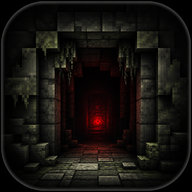
The Ultimate Belowland Enemies Guide: Survive the outln.frombelowland Mod
Master the outln.frombelowland Minecraft mod with our comprehensive Belowland enemies guide. Learn how to survive entities, dimensions, and terrifying events.
Welcome to the ultimate Belowland enemies guide for the terrifying outln.frombelowland Minecraft mod. If you have recently installed this psychological horror add-on, you are likely wondering what exactly is waiting for you in the dark. This comprehensive Belowland enemies guide will help you understand the slow-burn mechanics, track entity behaviors, and prepare for the inevitable scares.
Unlike traditional monster mods that throw zombies and creepers at you immediately, this mod—heavily inspired by the infamous wonderland.jar—takes its time. It builds tension through unsettling events, loud noises, and spooky imagery before the real threats emerge. Whether you are exploring the remnants of a broken server or venturing into newly added dimensions, knowing how to handle these entities is the key to survival. Read on to discover how to outlast the horrors that await.
Understanding the Belowland Mod Mechanics
Before diving into specific entity behaviors, it is crucial to understand how the outln.frombelowland mod operates. Developed by Lock and a dedicated team of contributors, this mod is intentionally slow-paced. When you first load into your world, things will seem relatively normal.
According to community reports and the developer's notes, it takes roughly three to four in-game days before anything genuinely unsettling begins to happen. This grace period is your only chance to gather resources, build a secure base, and prepare your defenses. Once the threshold is crossed, the mod's event system takes over, introducing a mix of auditory hallucinations, visual anomalies, and physical entities.
For players who find the slow burn a bit too tedious, there is a built-in way to ramp up the terror. You can use the /belowland command to access a list of options that make the mod significantly more aggressive.
Mod Compatibility Warnings
One of the most important aspects of preparing for these entities is ensuring your game runs correctly. The mod uses custom shaders to render its terrifying visual effects. Because of this, certain performance-enhancing mods will completely break the experience.
If you want the entities to render correctly and the spooky imagery to function as intended, you must avoid OptiFine and Sodium. You can download the required dependencies directly from Modrinth, a trusted and authoritative source for Minecraft mods.
Types of Entities in Belowland
While the developer keeps the exact roster of monsters somewhat mysterious to preserve the horror, player experience and community reports have helped categorize the threats you will face. A good Belowland enemies guide must break down these encounters so you know whether to fight, hide, or run.
The mod features a variety of threats that scale in intensity. Early on, you will mostly deal with psychological scares, but as the days progress, physical entities will begin to hunt you.
Entity Archetypes and Behaviors
Based on the mod's features, you can expect a mix of the following entity types:
Understanding these archetypes is critical. Wasting your durability and stamina chasing a Watcher will leave you vulnerable when a Chaser actually spawns.
The Timeline of Terror: Days 1 to 4
Survival requires strict time management. Because the mod gives you a three-to-four-day head start, how you spend your first few hours dictates your long-term survivability. This Belowland enemies guide recommends treating your first 72 in-game hours as a frantic race against the clock.
During this time, the world functions like vanilla Minecraft. However, once the hidden timer expires, the mod's custom event system will trigger. These events can happen anywhere in your world, bringing new items, loud noises, and deadly creatures.
Early Game Survival Checklist
To ensure you are ready when the entities finally arrive, follow this day-by-day preparation schedule:
By Day 4, you should be fully equipped. Community reports suggest that staying indoors during the first few major events can help you safely observe entity behaviors without risking your life.
Navigating the Custom Dimensions
One of the most exciting—and terrifying—features of the outln.frombelowland mod is the introduction of custom dimensions. While the Overworld becomes progressively more dangerous, the new dimensions are where the mod's true horrors reside.
Venturing into these alternate realms is necessary to progress through the upcoming campaign and find exclusive new items. However, the entities here do not follow the same rules as those in the Overworld. They are faster, hit harder, and often utilize the spooky imagery and environmental hazards to disorient you.
Overworld vs. Belowland Dimensions
Before you step through any custom portals, you need to understand the difference in threat levels. This Belowland enemies guide highlights the key distinctions:
Never enter a custom dimension without a clear escape plan. Bring plenty of blocks to build temporary barricades, and always ensure your weapons are at maximum durability.
Advanced Survival Tactics
As you progress deeper into the mod, basic armor and swords won't be enough. The entities in this mod are designed to outsmart and outlast you. To survive the later stages of your expedition, you need to employ advanced tactics.
First, utilize the new items introduced by the mod. While the developers have kept the specific item list under wraps to prevent spoilers, players have noted that certain custom items offer unique defensive capabilities against specific events. Always experiment with new drops you acquire.
Second, manage your audio. The mod features incredible SFX design by James Dawnshine and music by several talented composers. While the loud noises and songs are meant to scare you, they also serve as early warning systems. Playing with headphones is highly recommended, as directional audio can save your life when a Chaser is approaching from behind.
Finally, consider the psychological aspect. The mod uses "spooky imagery" to induce panic. Entities will often try to trick you into making a mistake, such as running off a cliff or abandoning a secure position. Stay calm, trust your defenses, and do not let the visual anomalies force you into a deadly error.
Frequently Asked Questions (FAQ)
What is the best way to use this Belowland enemies guide? Use this Belowland enemies guide as a strategic roadmap. Focus on the early-game preparation checklist during your first three days, and refer back to the entity archetypes table when you start encountering anomalies to determine the best course of action.
Why aren't the entities spawning in my world?
The outln.frombelowland mod is intentionally slow-paced. It takes about 3 to 4 in-game days for the scary events to begin. If you want to speed up the process, you can use the /belowland command to make the mod more aggressive.
Can I use OptiFine to make the mod run better? No. As noted by the developer, using OptiFine, Sodium, or Embeddium will break the mod's custom shaders because they rewrite how the game renders. You must play without these performance mods to experience the visual horror correctly.
Are there boss fights in the Belowland mod? While the mod is currently in alpha, it features a variety of deadly entities and dimensions. The developer has announced that a full campaign is "coming soon," which will likely introduce more structured boss encounters and lore-heavy events.
Related Guides
Survive the Horror: The Ultimate Belowland Entities Guide
Master the terrifying outln.frombelowland Minecraft mod with our comprehensive Belowland entities guide. Learn how to evade the Beast, use the Eye Flare, and survive.
Ultimate Belowland Mobs Guide: Surviving Minecraft's Scariest Mod
Master the terrifying Outln.frombelowland mod with our comprehensive Belowland mobs guide. Learn survival tactics, entity behaviors, and gear setups.